


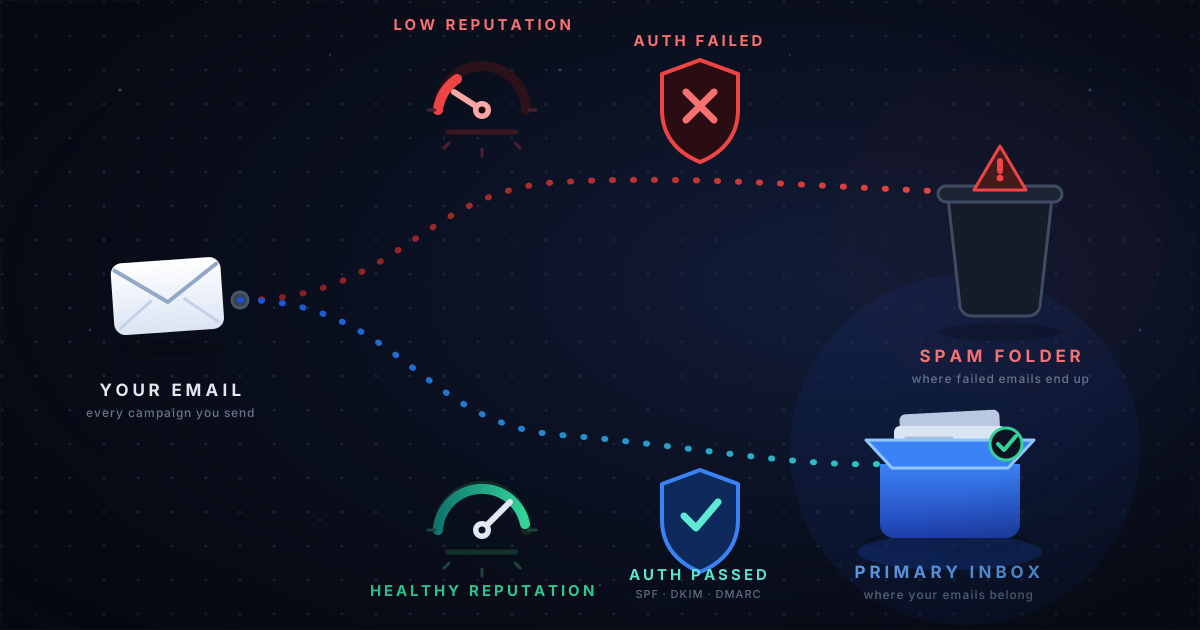
If your marketing emails are going to spam instead of the inbox, you could be losing sales, missing customer engagement opportunities and damaging your sender reputation without realizing it.
You might notice that your Klaviyo campaigns are receiving fewer clicks, your Gmail inbox placement has dropped or your Black Friday emails are not performing as expected. Sometimes, everything appears normal in your email marketing platform, yet your messages are reaching spam or the Gmail Promotions tab.
The problem is that email deliverability is not the same as email delivery. An email can be accepted by a receiving mail server without reaching the recipient’s primary inbox.
The good news is that most deliverability problems can be investigated systematically. By checking your domain authentication, sender reputation, bounce rates, spam complaints, audience quality and actual inbox placement, you can identify potential causes and take corrective action.
In this guide, we explain why emails go to spam, how to fix email deliverability issues and how eCommerce brands can use InboxEagle to investigate problems and make more informed decisions before important sales periods.
Why Are My Emails Going to Spam?
Your emails may be landing in spam because of one or more issues involving sender reputation, email authentication, recipient engagement, list quality or sending behavior.
Here are some of the most common reasons why marketing emails go to spam:
- Poor domain or IP reputation: Mailbox providers may distrust your sending infrastructure because of previous sending behavior.
- SPF, DKIM, or DMARC problems: Missing, misconfigured or misaligned authentication can affect message trust and delivery.
- High spam complaint rates: Recipients may be marking your campaigns as spam.
- High bounce rates: Invalid addresses and repeated delivery failures can indicate poor list hygiene.
- Unengaged subscribers: Repeatedly emailing people who no longer interact with your messages can contribute to poor engagement signals.
- Sudden increases in email volume: Abrupt changes in sending behavior can create reputation risks.
- Poor list acquisition practices: Purchased, scraped or otherwise inappropriate lists can introduce invalid addresses and unwanted recipients.
- Spam filters and message characteristics: Content, links, formatting and sending patterns can contribute to filtering decisions.
There is rarely one universal explanation for every spam placement problem. Start by examining the evidence rather than immediately changing your subject lines or email template.
1. Check Whether Your Emails Are Actually Going to Spam
Before changing anything, establish where your messages are landing.
An email that reaches the Promotions tab is not the same as an email that reaches the spam folder. Both differ from an email that is rejected or never delivered.
To investigate:
- Send a representative campaign to a controlled seed list of test inboxes.
- Check placement across relevant providers, such as Gmail ,Yahoo,AOL.
- Separate primary inbox, Promotions, spam and delivery failure outcomes.
- Compare results with earlier tests to identify changes.
- Check whether the issue affects one provider or multiple providers.
For example, if Gmail placement deteriorates while other providers remain stable, investigate Gmail-specific reputation and authentication signals before assuming that your entire sending infrastructure is failing.
Remember that seed tests provide a useful snapshot, not a guarantee of how every subscriber’s mailbox will classify a campaign.
How InboxEagle helps
InboxEagle’s seed-based deliverability testing helps you observe where representative campaign emails land across supported test inboxes. These observations can help you identify placement problems and compare results over time.
Instead of relying exclusively on the delivery status reported by your email service provider, you can use placement testing as another source of evidence when investigating why emails are not reaching the primary inbox.
2. Verify SPF, DKIM and DMARC Authentication
Email authentication helps receiving providers verify that messages are authorized and properly authenticated.
SPF (Sender Policy Framework) identifies which servers are authorized to send mail for a domain.
DKIM (DomainKeys Identified Mail) uses a cryptographic signature to help verify message authenticity and integrity.
DMARC (Domain-based Message Authentication, Reporting, and Conformance) defines how receiving providers should handle messages that fail DMARC checks and can provide reporting visibility into authentication failures.
Check the following:
- Is SPF correctly configured for your sending infrastructure?
- Are your outgoing messages passing DKIM verification?
- Is DMARC published, and are SPF or DKIM aligned with the visible From domain as required?
- Have DNS changes, new sending services, or domain migrations introduced configuration problems?
- Are authentication results consistent across your sending streams?
Do not simply add multiple SPF records or make DNS changes without understanding your existing setup. Incorrect changes can create additional problems.
How InboxEagle helps
InboxEagle helps you review available authentication health information alongside other deliverability signals, making it easier to investigate potential authentication issues affecting your email campaigns.
You can also configure dmarc@inboxeagle.com as the reporting destination in your DMARC DNS record’s rua field, subject to InboxEagle’s reporting setup and your domain configuration.
This can direct aggregate DMARC reports to InboxEagle for analysis, helping you investigate authentication failures and review reporting details such as the sending sources and IP addresses represented in those reports.
Before changing your DNS configuration, verify the existing records and follow the appropriate setup instructions. Incorrect SPF or DMARC configuration can introduce additional deliverability problems.
3. Check Your Domain and IP Reputation
Mailbox providers use reputation signals to help evaluate incoming email. A domain or IP with a poor reputation may experience increased filtering or delivery problems.
If your emails suddenly start going to spam, examine:
- Domain reputation trends.
- Sending IP reputation, where applicable.
- Spam complaint trends.
- Delivery errors and rejection patterns.
- Changes in campaign volume or sending infrastructure.
- Recent changes to your sending practices.
For Gmail, Google Postmaster Tools can provide visibility into available domain reputation, IP reputation, spam-rate, authentication, and delivery-error information.
However, these metrics do not tell the whole story. Data availability can vary and a missing metric does not necessarily mean that your domain has a problem.
Look for changes over time and correlate them with actual campaign activity rather than relying on a single reputation indicator.
How InboxEagle helps
InboxEagle brings available domain and IP health information into your deliverability investigation.
Depending on the available data and integrations, you can examine IP-related signals, investigate whether an IP is shared across multiple brands and review the health of your sending domain.
Shared-IP context can be useful when investigating deliverability problems, but sharing an IP does not automatically mean that another sender is harming your reputation. Interpret these signals alongside reputation trends, authentication results and delivery errors.
By connecting these indicators, InboxEagle helps your team investigate whether a problem may be associated with your domain, sending IP, authentication setup or recent sending behavior instead of relying on guesswork.
4. Investigate Google Postmaster Spam-Rate Changes
If Gmail users are marking your emails as spam, your spam rate may rise.
A rising spam rate is a reason to investigate audience expectations, campaign frequency, acquisition sources and recent sending changes.
Try this process:
- Review the available Google Postmaster spam-rate data.
- Identify when the increase began.
- Compare that period with campaign sends and changes in audience selection.
- Review unsubscribe activity, complaints and engagement trends in your email service provider.
- Adjust sending practices and monitor subsequent results.
Google Postmaster data is aggregated and may not identify the exact campaign or recipient responsible for a change. Correlation with your campaign records can help narrow down possible causes, but it does not by itself prove causation.
How InboxEagle helps
InboxEagle integrates available Google Postmaster data into its deliverability monitoring workflow, helping your team review important signals such as reputation, spam rates, authentication and delivery errors.
InboxEagle’s Deliverability Incident Agent can help surface and notify your team about detected deliverability issues and concerning changes in the available monitoring data.
This gives your team an opportunity to investigate potential problems, identify relevant campaign or infrastructure changes and take corrective action recommended by inboxeagle before the issue escalates.
5. Fix High Bounce Rates and Poor List Quality
High bounce rates can indicate invalid addresses, outdated subscriber records or other delivery problems.
First, distinguish between hard and soft bounces.
Hard bounces generally indicate a permanent delivery failure, such as a nonexistent recipient address. Repeatedly attempting to send to these addresses should be avoided.
Soft bounces generally indicate a temporary problem, such as a full mailbox or a temporary server issue. Investigate recurring failures instead of treating every soft bounce as proof that an address is invalid.
To improve list quality:
- Suppress confirmed invalid addresses and follow your ESP’s bounce-handling rules.
- Review how subscribers were acquired and whether they expected your emails.
- Identify inactive profiles and use an appropriate re-engagement strategy.
- Avoid purchasing or scraping email lists.
- Monitor bounce rates by campaign and audience.
- Ensure suppression and unsubscribe requests are respected.
A smaller, relevant audience can be more valuable than a large list containing many invalid or disengaged contacts.
How InboxEagle helps
InboxEagle’s audience intelligence helps analyze available profile and engagement signals to identify potentially unengaged, hard-bounced, bot-suspicious or otherwise risky profiles.
These insights can help your team make more informed decisions about which audiences need further investigation, re-engagement or suppression before future campaigns.
For example, if a campaign audience contains confirmed invalid addresses alongside profiles showing suspicious engagement patterns, you can investigate those groups and apply appropriate suppression rules through your email marketing platform.
The objective is not to remove subscribers indiscriminately. Instead, use reliable evidence and your engagement policy to help maintain a relevant audience, reduce avoidable sending risks, and focus campaigns on people more likely to want your emails.
A healthier audience can support better campaign performance, although results depend on your list, offer, sending practices and recipients’ behavior.
6. Investigate Why Your Klaviyo Campaigns Are Going to Spam
If your Klaviyo campaigns are landing in spam, do not assume that Klaviyo itself is the cause.
Review campaign-level and audience-level performance to identify where the problem may originate.
Start by examining:
- Delivery and bounce rates.
- Spam complaint and unsubscribe rates.
- Open and click trends, interpreted with awareness of automated engagement.
- Lists and segments used in underperforming campaigns.
- Sending volume and frequency changes.
- Domain authentication and reputation signals.
Next, compare the performance of different audiences.
For example, suppose your main newsletter audience has stable engagement, but a large win-back segment has unusually high bounce rates and complaints. Sending to that segment may deserve closer investigation before your next major campaign.
How InboxEagle helps
InboxEagle connects with Klaviyo to analyze available campaign, list, segment and profile data, helping you investigate audience quality and engagement patterns alongside other deliverability indicators.
Its audience intelligence can help surface potentially inactive profiles, suspicious or bot-like engagement and other audience risks that may warrant further investigation. These insights can help your team decide whether to review a segment, adjust targeting, run a re-engagement campaign or suppress profiles when justified.
InboxEagle also helps you examine the broader deliverability picture instead of looking at Klaviyo campaign metrics in isolation. Where data is available, you can compare audience patterns with authentication health, reputation signals and inbox placement test results.
For example, if a campaign experiences declining engagement while reputation indicators or seed-test results also deteriorate, your team can investigate those signals together to narrow down potential causes.
No single metric can establish that a particular profile or segment caused spam placement. InboxEagle’s purpose is to help make the investigation more systematic and support better-informed campaign decisions.
7. Prepare Your Black Friday and Cyber Monday Emails Before Sending
Black Friday and Cyber Monday campaigns often involve higher sending volumes, tighter schedules, and more frequent promotional messages.
These changes make pre-campaign preparation particularly important.
Before sending:
- Verify SPF, DKIM, and DMARC.
- Review recent domain and IP reputation signals.
- Test representative campaigns using seed inboxes.
- Check the health of the intended audience.
- Suppress invalid addresses and honor existing opt-outs.
- Review campaign frequency and recent complaint trends.
- Avoid abrupt, unplanned changes to sending volume.
- Monitor delivery and reputation signals after the campaign.
Do not wait until Black Friday morning to discover that an important campaign is reaching spam. Run checks early enough to investigate and correct problems before the peak sending period.
How InboxEagle helps
InboxEagle helps eCommerce brands bring available deliverability, reputation, audience and inbox placement signals together when preparing for important promotional periods.
Before a major campaign, your team can review available domain and IP health indicators, examine audience quality and use seed-based testing to investigate where representative emails are landing.
During and after the campaign, monitoring relevant changes can help you identify issues that deserve further investigation.
For BFCM campaigns, this provides a more structured way to prepare, monitor and troubleshoot instead of waiting for declining engagement or customer complaints to reveal a potential problem.
8. Review Your Email Content and Sending Patterns
Content can contribute to filtering, but changing a subject line alone will not solve every deliverability issue.
Review the complete message, including:
- Subject line and preview text.
- Links and tracking domains.
- HTML structure and rendering.
- Sender identity and From address.
- Clarity of the offer and recipient expectations.
- Unsubscribe functionality.
- Consistency between the message and the audience’s interests.
Avoid deceptive subject lines, misleading claims, and content that does not match what subscribers signed up to receive.
Test meaningful changes and compare results. Do not assume that adding or removing a particular word will automatically move your campaign into the inbox.
When investigating possible spam triggers, consider the complete message and sending context rather than relying on a generic list of supposedly forbidden words. Mailbox providers use multiple signals to classify incoming email.
How InboxEagle helps
InboxEagle helps you investigate content-related concerns alongside other available deliverability signals. Comparing placement results, campaign activity and reputation trends can help you determine whether a content change coincided with a deliverability problem.
This approach helps avoid unnecessary template changes when the underlying issue may instead involve authentication, audience quality, reputation or sending behavior.
9. Investigate Why Emails Are Delivered but Not Reaching the Inbox
A successful delivery status does not necessarily mean primary inbox placement.
Receiving providers may accept a message and subsequently classify it into the inbox, Promotions or spam.
This distinction matters when your ESP reports successful deliveries but customers say they cannot find your emails.
Use multiple sources of evidence:
- ESP delivery and bounce records.
- Seed inbox placement results.
- Google Postmaster data where available.
- Authentication verification.
- Campaign-level engagement and complaint trends.
- Provider-specific differences in performance.
Combining these signals can help distinguish a delivery failure from a filtering or placement issue.
How InboxEagle helps
InboxEagle helps you investigate this gap by bringing together available seed-test observations and relevant deliverability signals.
For example, your ESP might report successful delivery while seed tests show that representative messages are landing in spam at a particular provider. You can then examine the available authentication, reputation and audience data to help narrow down possible causes.
Seed-test results do not represent every recipient’s mailbox and no single dashboard can determine exactly how every provider classifies every message. However, combining multiple sources of evidence gives your team a more informed starting point for troubleshooting.
10. Monitor Email Deliverability Before Problems Become Serious
Checking deliverability only after sales or engagement decline makes troubleshooting harder.
A repeatable monitoring process should track changes in:
- Domain and IP reputation.
- Spam complaint rates.
- Authentication results.
- Bounce and delivery-error trends.
- Inbox placement across available test providers.
- Campaign and audience performance.
Establish a baseline for your sending program, then investigate unusual changes. Not every fluctuation represents a serious incident, so interpret results using data availability, campaign volume, and historical context.
For Gmail-related monitoring, Google Postmaster Tools is a useful source. Your ESP provides complementary campaign and audience data, while seed testing can offer direct placement observations.
How InboxEagle helps
InboxEagle brings multiple deliverability signals into a more unified workflow. Its available integrations and capabilities can help you review domain and IP health, Google Postmaster data, authentication signals, Klaviyo audience intelligence, seed-test observations and changes that may require investigation.
The Deliverability Incident Agent can help alert your team to detected issues, enabling you to investigate unusual changes and respond with greater visibility.
Rather than waiting until campaign revenue or engagement drops, your team can establish a routine for reviewing deliverability health, investigating anomalies, and checking whether corrective actions improve subsequent results.
11. Use a Structured Email Deliverability Troubleshooting Checklist
When campaigns start landing in spam, work through the following checklist in order.
| Check | What to investigate |
|---|---|
| Inbox placement | Are messages reaching the inbox, Promotions or spam? |
| Authentication | Are SPF, DKIM and DMARC correctly configured and aligned? |
| Reputation | Have domain or IP reputation indicators deteriorated? |
| Complaints | Have spam complaints increased? |
| Bounces | Are hard bounces or repeated temporary failures rising? |
| Audience | Is the affected campaign using an inactive or risky segment? |
| Sending behavior | Have volume, frequency or infrastructure changed? |
| Content | Are links, formatting and message expectations appropriate? |
| Provider differences | Is the issue isolated to a particular mailbox provider? |
| Recovery | Do subsequent tests and monitoring show improvement? |
Document what changed, what you tested, and what happened afterward. This helps prevent repeated troubleshooting based on guesswork.
How InboxEagle helps
InboxEagle helps bring relevant deliverability and audience signals into your troubleshooting workflow. Rather than switching between individual metrics without context, your team can investigate available data about authentication, reputation, campaign audiences and inbox placement.
Use the evidence to determine what to investigate next, apply appropriate corrective actions through the relevant systems and monitor subsequent results.
12. How InboxEagle Helps You Investigate Email Deliverability Issues
Email deliverability information is often spread across different platforms. A marketer may use Google Postmaster Tools for reputation signals, Klaviyo for campaign and audience performance and seed testing for inbox placement observations.
InboxEagle is an email deliverability intelligence platform designed to help eCommerce brands and email marketing teams bring relevant deliverability and audience signals into one operational view.
Depending on the integrations and features available to your account, InboxEagle can help you:
- Monitor domain and IP health: Review available reputation and infrastructure signals to investigate potential sending-related problems.
- Review Google Postmaster data: Examine available reputation, spam-rate, authentication and delivery-error indicators.
- Investigate authentication health: Review available SPF, DKIM and DMARC-related information to identify potential configuration issues.
- Analyze Klaviyo audiences: Examine campaign, list, segment and profile data to identify audience patterns that may deserve attention.
- Identify potentially risky profiles: Use audience intelligence to investigate inactive, hard-bounced or suspicious profiles and make informed suppression decisions.
- Test inbox placement: Use seed-based tests to observe how representative campaigns land across supported test inboxes.
- Monitor deliverability incidents: Receive notifications about detected issues through the available incident-monitoring capabilities.
- Connect related signals: Investigate possible relationships between campaign changes, audience quality, authentication, reputation and inbox placement.
From deliverability signals to better decisions
Imagine that your latest promotional campaign is receiving fewer clicks than usual, and customers report that they cannot find your emails.
Instead of immediately changing your subject line, you can use a structured investigation:
- Check inbox placement to determine whether test messages are reaching the primary inbox, Promotions, or spam.
- Review domain and IP health to investigate changes in the available reputation indicators.
- Examine authentication and Postmaster data for potential configuration issues or reputation changes.
- Analyze the Klaviyo audience to identify inactive, invalid or suspicious profiles that may warrant attention.
- Investigate detected incidents and compare the timing with campaign activity.
- Take corrective action based on the evidence, then monitor subsequent campaigns to evaluate whether conditions improve.
This approach helps your team move from reacting to unexplained campaign performance changes toward a more consistent process for identifying and investigating potential causes.
Why this matters for eCommerce revenue
Email campaigns are an important revenue channel for many eCommerce brands. When deliverability problems affect a campaign, fewer customers may see the offers your team intended to send.
InboxEagle helps teams investigate deliverability and audience issues with greater visibility, so they can make informed decisions about authentication, sending infrastructure, audience quality and campaign monitoring.
Better deliverability visibility can support better campaign decisions and help protect revenue opportunities. Actual results depend on the underlying issue, the corrective actions taken, campaign quality, customer demand and mailbox-provider filtering decisions.
InboxEagle’s value is in helping your team understand relevant signals, identify potential risks and investigate issues before they become harder to diagnose.
If your team regularly asks, “Why are our emails going to spam?” or “How can we identify deliverability issues before our next campaign?”, InboxEagle provides a centralized workflow to help answer those questions with evidence rather than guesswork.
Final Thoughts
If your emails are going to spam, avoid making random changes to your templates or repeatedly sending to the same audience in the hope that performance will improve.
Start with evidence. Check authentication, reputation, complaints, bounce patterns, audience quality and inbox placement. Investigate which provider or audience is affected, correct the underlying issue and monitor the results.
Healthy email deliverability comes from consistent monitoring, responsible sending practices and timely investigation—not from a single subject-line trick or a guaranteed inbox-placement shortcut.
InboxEagle helps eCommerce brands and email marketing teams bring deliverability monitoring, audience intelligence and operational signals together so they can investigate email performance problems with greater visibility and confidence.
By identifying potential risks, understanding the signals behind campaign performance, and taking informed corrective action, teams can work toward healthier sending practices and better use of email as a revenue channel.
Want to understand why your emails are going to spam? Explore InboxEagle to learn how deliverability monitoring and audience intelligence can help your team investigate issues and make more informed email marketing decisions.